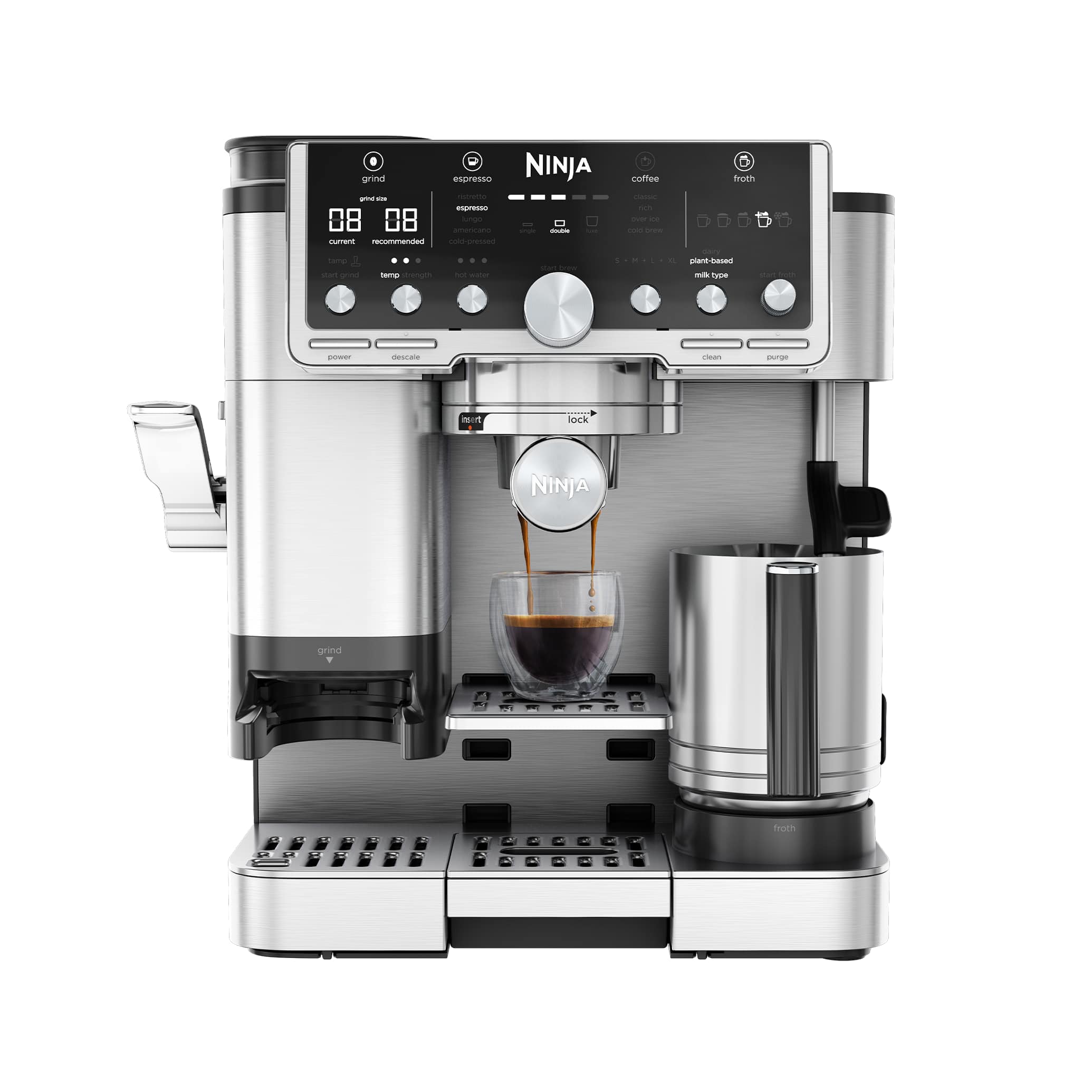
 ES701UK
Exact-model fault guide · updated 17 August 2026
Ninja Luxe Café Pro troubleshooting guide
Not dispensing, flashing, leaking, running cold or making poor coffee? Use this symptom-led guide for the exact ES701UK. Start with the two-minute safe checks, change one thing at a time and know when the fault belongs with Ninja or an authorised repairer.
Jump to the likely answer
What is your Luxe Café Pro doing?
Choose the closest symptom. Start with the first check, then stop if the page reaches a service boundary.
Two-minute triage
Check the basics before changing settings.
- 01Stop for danger
Unplug only when safe if there is burning, smoke, electrical tripping, internal steam or water near electrics.
- 02Capture the evidence
Write down the complete message or light pattern and confirm the exact ES701UK model code.
- 03Seat the removable parts
Check fresh water, tank, tray and only the user-removable coffee or milk parts shown in the manual.
- 04Run one safe test
Use the official water-only rinse or equivalent check, then change one variable—not five—before retesting.
Stop before diagnosis
Do not continue if you see smoke, smell burning, find a damaged cable, trip the breaker, see water near electrical parts, hear abnormal pressure noise or see steam escaping from inside the case. Switch off and unplug when safe, move away and use Ninja support or a qualified repairer.
Symptom
The machine will not start or finish heating
A loose tank, tray, brew unit, hopper or head can prevent the normal start-up check. The outlet, socket or protection device may also be at fault.
Safe checks, in order
- 1
Switch off, wait for hot parts to cool and re-seat only the user-removable tank, tray, hopper or brew unit shown in the manual.
- 2
Test the wall socket with another low-risk appliance and inspect the visible cable without dismantling the machine.
- 3
Record the exact light pattern, screen message and point at which heat-up stops.
Resolved when
The normal ready indication appears and the machine completes its rinse or heat-up without a warning.
Arrange service when
The cable is damaged, the breaker trips, there is a burning smell, the case becomes abnormally hot or heat-up repeatedly fails.
Symptom
No coffee or very slow flow
A blocked basket, excessive dose, grind that is too fine, scale prompt or empty/poorly seated tank can restrict flow.
Safe checks, in order
- 1
Confirm the tank contains fresh water and is fully seated, then run the manual's water-only rinse or hot-water check.
- 2
Remove the portafilter and compare water flow from the group with the manual's normal rinse behaviour.
- 3
Clean only removable filters, baskets, spouts or milk parts by the exact-model instructions; do not probe internal valves.
Resolved when
Water-only flow is even, the warning clears and a correctly prepared drink reaches its expected volume.
Arrange service when
There is still no water-only flow, the pump sounds abnormal, the same error returns, or water appears inside or beneath the case.
Symptom
Coffee is weak, sour, bitter or inconsistent
Bean age, grind, dose, distribution, yield, water and temperature are more common causes than a failed machine.
Safe checks, in order
- 1
Use fresh beans and hold dose and drink size constant while changing only one variable at a time.
- 2
Weigh the dry dose and espresso yield; make a small grind change only after the machine and portafilter are fully warm.
- 3
Use fresh water and complete any due coffee-oil cleaning or manufacturer-led rinse before judging the next cup.
Resolved when
Two or three consecutive drinks reach a repeatable volume and taste after a single controlled adjustment.
Arrange service when
Temperature is clearly abnormal, the grinder changes sound, the machine cannot repeat a programmed volume or taste stays contaminated after official cleaning.
Symptom
Barista Assist keeps changing the grind recommendation or the dose is inconsistent
Barista Assist responds to the selected drink, basket and measured dose. A bean change, retained grounds, the wrong basket or moisture on the weighing area can make its guidance appear unstable.
Safe checks, in order
- 1
Confirm the ES701UK drink and basket selections, then empty old grounds from the dry, user-accessible dosing area as the Ninja instructions show.
- 2
Clean and fully dry the portafilter and scale platform. Do not rest another object on the weighing area while the machine is assessing the dose.
- 3
Use one fresh bean and make only one grind change at a time. Judge the recommendation across two consistent preparations rather than repeatedly moving the dial during one drink.
Resolved when
The recommended grind settles, two doses land consistently and the next two drinks run without repeated correction prompts.
Arrange service when
The grinder stalls or scrapes, the scale never detects the portafilter, the recommendation changes wildly with identical preparation or an error returns after the approved dry clean.
Symptom
The built-in scale will not zero or shows the wrong weight
Coffee grounds, water, a poorly seated tray or pressure on the weighing platform can stop a stable zero. The scale is a precision part and should remain dry.
Safe checks, in order
- 1
Remove the portafilter and anything touching the scale area, then wait for the machine to become idle.
- 2
Brush away dry grounds and wipe the surrounding platform with a barely damp cloth only if the manual allows it; dry the area completely before refitting anything.
- 3
Restart through the normal ES701UK power sequence and reselect the correct basket. Do not calibrate, dismantle or press down on the scale mechanism.
Resolved when
The display returns to zero with an empty platform and measures two repeat doses consistently.
Arrange service when
The reading drifts while empty, remains fixed, reports an error or changes when the tray is correctly seated and nothing touches the platform.
Symptom
The CLEAN or DESCALE light stays on after a care cycle
CLEAN and DESCALE are different guided programmes. A low tank, full tray, missed rinse or interrupted sequence can leave the reminder active even when chemical has already been used.
Safe checks, in order
- 1
Record which named light or message is active. Do not start both programmes and do not add another dose of cleaner or descaler.
- 2
Fill the tank with the amount requested, empty and correctly seat the tray, then run the exact programme from its first step without interruption.
- 3
Complete every fresh-water rinse and wait for the normal ready state before switching off. Recheck the official Ninja sequence if the light remains.
Resolved when
The named programme completes, the machine returns to ready and the reminder stays off after the next drink.
Arrange service when
The cycle repeatedly stops at the same stage, will not pump rinse water, leaks beneath the machine or the reminder immediately returns after one complete official cycle.
Symptom
Cold brew or filter-style coffee is weak, too short or the wrong volume
Ninja's espresso, filter-style, over-ice and cold programmes deliberately use different temperatures, volumes and grind guidance. The wrong drink or vessel selection can look like a brewing fault.
Safe checks, in order
- 1
Confirm the exact drink, size and cold or over-ice option before changing the grind. Use the vessel and ice quantity specified for that recipe.
- 2
Check fresh water, bean freshness and the Barista Assist recommendation, then repeat one identical recipe without changing milk or strength settings.
- 3
Run the official rinse and clean removable brew parts if the programmed volume remains short; never probe the internal valve or flow path.
Resolved when
The same selected recipe reaches a repeatable volume and strength twice with the expected hot, over-ice or cold workflow.
Arrange service when
Water-only output is short, the pump sounds abnormal, a flow or heater error appears, or identical settings produce sharply different volumes after cleaning.
Symptom
The integrated tamper binds, will not complete its stroke or leaves a loose puck
Loose grounds around the tamping path, an incorrectly seated portafilter, an overfilled basket or a mechanical fault can interrupt the ES701UK integrated tamp.
Safe checks, in order
- 1
Stop rather than forcing the lever. Remove the portafilter and confirm the selected basket and guided dose are correct.
- 2
When the machine is idle, brush only loose dry grounds from the user-accessible tamping area shown by Ninja; never rinse or lubricate the mechanism.
- 3
Refit an empty, dry portafilter and check the normal movement once. If it still binds, leave the mechanism alone and record a short safe video for support.
Resolved when
The lever completes its normal travel without force and the guided dose produces an even, repeatable puck.
Arrange service when
The lever scrapes, locks, springs back abnormally, a part is loose or the mechanism still binds with an empty correctly fitted portafilter.
Symptom
Pressure is low, high or unstable during the shot
Pressure is created by resistance in the coffee bed, so bean age, dose, grind, basket choice and distribution should be checked before assuming the pump has failed.
Safe checks, in order
- 1
Warm the machine and portafilter fully, then use the correct basket with a measured dose of fresh coffee.
- 2
If the shot runs fast with low pressure, make the grind slightly finer; if it chokes or pressure stays high, make it slightly coarser. Change only one setting between shots.
- 3
Compare water-only flow with flow through coffee. Clean a blocked basket only when cool and by the exact-model instructions.
Resolved when
The next two shots start, flow and finish consistently without choking, spraying or an abnormal pump sound.
Arrange service when
Pressure remains abnormal during a water-only check, the pump becomes unusually loud, the gauge does not move at all, or water leaks around or beneath the case.
Symptom
Coffee is not hot enough or the temperature changes between drinks
An unheated cup, incomplete warm-up, saved temperature setting, scale build-up or a heating fault can all make drinks cooler than expected.
Safe checks, in order
- 1
Let the ES701UK reach its normal ready state and preheat the cup with hot water; do not judge temperature from the first seconds of start-up.
- 2
Run the manual's blank rinse to warm the group and portafilter, then repeat the same measured recipe.
- 3
If the result is still clearly abnormal, complete only the due official rinse or descale programme and record the drink setting and repeatable symptom for support.
Resolved when
Two identical drinks reach a repeatable, comfortable serving temperature after full warm-up and the same settings.
Arrange service when
The machine never reaches ready, water stays lukewarm, temperature changes sharply between identical drinks, or a heater warning appears.
Symptom
The grinder runs but little or no coffee is delivered
An unlocked hopper, oily beans, a grind set too fine, compacted grounds or a blocked dry outlet can stop normal feeding.
Safe checks, in order
- 1
Stop the machine and follow the manual before removing the hopper; keep fingers and tools away from moving burrs.
- 2
Confirm the hopper is locked and contains dry beans, then inspect only the approved, user-accessible outlet.
- 3
Brush loose grounds away dry. Change the grind in one-step increments and only while the grinder is operating if the exact manual says to do so.
Resolved when
The grinder delivers a repeatable dose without unusual noise or repeated correction messages.
Arrange service when
The burrs stall, scrape or make a new harsh sound, a foreign object is suspected, or the motor runs without delivery after the approved dry clean.
Symptom
The milk system produces little foam, large bubbles or stops
Dried milk, incorrect assembly, an air leak, wrong programme or blocked accessible milk path can reduce suction and texture.
Safe checks, in order
- 1
Let hot parts cool, then wipe the wand or dismantle only the removable milk parts shown in the manual.
- 2
Reassemble the carafe, hose, lid and selector against the exact diagram, then run the named milk-clean programme.
- 3
Test with fresh cold milk or the selected alternative milk and the correct milk or texture setting.
Resolved when
Steam or milk flow is steady, the automatic cycle finishes and the texture is repeatable with clean parts.
Arrange service when
Steam escapes inside the case, a hose or seal is damaged, the wand will not heat, or performance remains weak after the official milk clean.
Symptom
Water is in the drip tray, under the machine or around the group
Rinse and purge water in the tray can be normal. An overfilled tray, poorly seated tank, worn accessible seal, blocked drain path or internal leak is not.
Safe checks, in order
- 1
Empty, clean and dry the tray and surrounding counter so the next water source can be identified.
- 2
Re-seat the filled tank and its accessible valve area without forcing it; confirm the tray is level and fully home.
- 3
Clean coffee from the basket rim and group seal while cool, then lock the correct basket normally without overtightening.
Resolved when
Water is confined to the expected tray or rinse outlet and no moisture returns beneath the case.
Arrange service when
Water reaches the cable or electrical area, pools beneath the case, appears during heat-up, or returns after the tank and tray are correctly seated.
Symptom
A cleaning, filter, tray or brew-unit message will not clear
The named cycle may be incomplete, the tank may have run low, a part may be mis-seated or the machine may require the exact order described by the manufacturer.
Safe checks, in order
- 1
Write down the complete message before switching anything off.
- 2
Refill the tank, empty the tray and grounds container, then re-seat only removable parts after the machine has completed normal shutdown.
- 3
Repeat only the official workflow from the beginning. Do not add a second dose of chemical unless the exact instructions explicitly require it.
Resolved when
The machine completes every rinse stage, returns to ready and the message does not reappear after the next drink.
Arrange service when
The same message returns immediately, a removable part cannot be fitted without force, or a care programme repeatedly stops at the same point.
Model-specific checks
What is particular to the Luxe Café Pro.
- CLEAN and DESCALE lights identify separate guided programmes. Empty the main tray first and do not interrupt the named programme once it has started.
- If the integrated scale or assisted grind guidance looks wrong, remove the portafilter, clean and dry the scale platform, then select the correct basket and drink before retrying.
- The ES701UK integrated tamper should move through its normal travel without being forced. Brush away loose dry grounds only as the manual permits and stop if the lever binds or scrapes.
- Hot foam, cold foam, espresso, filter-style and cold drinks follow different programmes. Recheck the drink and froth selection before changing grind or milk settings.
Repair decision
A home check should stay outside the case.
These pages help separate preparation and routine care from faults that need the manufacturer or a qualified repairer.
Clean, re-seat, rinse and retest.
Tanks, trays, baskets, approved brew groups and removable milk parts can be checked only as the ES701UK manual allows.
Heat, pressure, electrics and internal leaks.
Do not remove panels, bypass switches, open boilers, reach into grinders or force a part that should move freely.
Before contacting support
Record the fault so Ninja can act faster.
- Quote the exact ES701UK model code and the complete light pattern, message or error code.
- Note which stage failed: start-up, grinding, brewing, milk, rinse, cleaning or descaling.
- Record when the machine last worked normally and the most recent filter, clean or descale date.
- Photograph a visible leak or message from a safe distance, without removing covers or touching hot parts.
Quick answers
Luxe Café Pro troubleshooting FAQ.
Short answers for search, followed by the safety boundary that matters.
Why is my Ninja Luxe Café Pro not dispensing coffee?
First check that the ES701UK water tank is full and seated, then use the official water-only rinse. If water flows without the portafilter, check the removable coffee path and preparation. If no water flows or water leaks beneath the case, stop and arrange service.
Why are the lights flashing or an error message showing on my Luxe Café Pro?
Record the exact colour, flash pattern or complete message before restarting the ES701UK. First confirm the tank, tray, grounds container, portafilter area and any guided care cycle. Use the exact official meaning rather than a reset sequence from another model.
Can I reset the Luxe Café Pro to clear an error?
Only use the reset sequence in the current ES701UK manual or its on-screen workflow. A reset can remove saved drinks or settings and will not repair a leak, heater, pump, grinder or electrical fault. Record the original message first.
Why is my Luxe Café Pro coffee not hot enough?
Let the ES701UK reach its normal ready state, preheat the cup and repeat the same drink with the same volume and temperature setting. If water remains lukewarm after full warm-up, or a heater warning appears, stop repeating cycles and contact Ninja support.
Should I descale the Luxe Café Pro when coffee runs slowly?
Not automatically. First separate a blocked basket, capsule outlet, spout or grind problem from a water-flow problem. Descale only when the ES701UK prompt, water-hardness schedule or official instructions call for it, using a compatible product and the complete rinse sequence.
Is water in the Luxe Café Pro drip tray normal?
Some rinse, purge or pressure-release water in the tray can be normal. Empty and dry the tray and counter, then watch one short cycle. Water beneath the case, near the cable, during heat-up or returning after the tank and tray are correctly seated is not normal and needs service.
When should I stop troubleshooting the Luxe Café Pro?
Stop immediately for smoke, a burning smell, a damaged cable, repeated breaker trips, water near electrics, steam from inside the case or abnormal pressure noise. Also stop when a user-removable part will not move without force or an official cycle repeatedly fails.
What should I tell Ninja support about the Luxe Café Pro?
Give them the exact ES701UK code, serial number if requested, complete light pattern or message, the stage that fails, the last successful use and the most recent clean, filter or descale date. A short photo or video taken from a safe distance can make an intermittent fault easier to identify.
Why does Barista Assist keep changing the grind on my Ninja Luxe Café Pro?
The ES701UK recommendation depends on the selected drink, basket and measured dose. After changing beans, clean and dry the scale and dosing area, confirm the basket, then make one grind adjustment at a time. A recommendation that still changes sharply with identical preparation needs Ninja support rather than repeated dial changes.
Is the Ninja Luxe Café Pro a bean-to-cup machine?
No. The ES701UK is an assisted portafilter machine: it guides grinding and dose and automates parts of milk preparation, but you still handle the portafilter, puck and daily cleaning. That extra involvement is part of why it can cover espresso, filter-style and cold drinks in one system.
Can I use the Ninja Luxe Café Pro while the CLEAN or DESCALE light is on?
Follow the exact ES701UK prompt rather than ignoring it or combining treatments. CLEAN removes coffee residues; DESCALE addresses mineral build-up. Run only the named programme, use the specified product and finish every rinse before returning to normal drinks.
Only if repair no longer makes sense
Check the exact ES701UK before replacing it.
Finish the safe checks and use official support first. If the machine is beyond economical repair, this labelled route keeps the model code explicit instead of dropping you into a generic coffee-machine list.
Review dated price evidence →Search exact model on Amazon UK ↗Affiliate link. Confirm seller, variant, warranty, stock and checkout price.
Exact product source
Ninja ES701UK
Use the exact model code when checking lights, messages, parts and reset instructions.
Open exact-model source ↗Official support route
Ninja ES701UK official cleaning FAQ
The current manual or manufacturer support route takes priority over any general owner check.
Open manufacturer support ↗Editorial boundary
Desk research, not a repair manual
Home Coffee Index has not opened or electrically tested this machine. We keep uncertainty and service boundaries explicit.
Read the sourcing policy →Keep ownership simple
Prevent the repeat fault.
Once the symptom is resolved, use the exact-model maintenance plan for milk paths, coffee oils, filters and limescale—or check your water hardness before changing the descale schedule.